
Virtual Instruction/elearning
Virtual instruction is a current growth area in service delivery as well as service design. The Florida School District Virtual Instruction Program requires all Florida school districts to provide full time virtual instruction options for grades K-8 and full or part time for grades 9-12; starting school year 2009/2010. In addition to the rising popularity of virtual instruction there is a move to online assessment. This move to virtual instruction and virtual assessment highlights the importance of students with disabilities being able to work and learn in a digital environment.
Virtual instruction can be accomplished using a variety of systems. Successful ones include:
- · Virtual online classrooms (Florida Virtual Schools, Georgia Virtual Schools, online college classrooms, etc.)
- · Virtual online meetings (Elluminate, Adobe Connect, Talking Communities, webinars, etc.)
- · Virtual games (Quest Atlantis, DimensionM, Jumpstart Virtual World)
- · Virtual 3D worlds (SecondLife for Teens, Edusim, etc.)
Often the above models are not used in isolation but in connection with a regular classroom environment or home school environment, as well as with each other. This is important for success with all students but can be particularly important for students with disabilities to ensure flexible support as needed.
Support for Students with Disabilities
Students with disabilities are successful in virtual instruction but the success often depends, as it does in a regular classroom, on having accommodations and supports in place that meet the student’s unique needs. Here are some points noted in recent studies on the use of virtual instruction by students with disabilities.
- Students need time to learn additional technology tools and assistive technologies prior to the virtual instruction. Students will be more successful if they are already performing much of their regular classroom instruction on a computer using the Internet and any additional screen readers, magnifiers, or other assistive technologies they will need in a virtual course. Students who do not use the computer often in regular classroom instruction may need to learn new tools to be successful online and this can be a barrier.
- Students are not overwhelmed by the technology. In one study students reported that they viewed the technology simply as learning tools.
- Students need flexible time to complete online activities. In one research study it was found that struggling students were successful in completing a virtual instructional activity and stayed highly engaged in the process, but they took 16 hours to meet the overall instructional goal that took other students 2 hours to complete. It was successful but required flexibility in time.
- Students benefit from the availability of instructional resources. Having instructional PowerPoints, wikis, and other resources available just-in-time was one of the primary reported benefits of virtual instruction.
Disabled Learners’ Experiences of E-Learning - http://www.editlib.org/index.cfm?fuseaction=Reader.ViewAbstract&paper_id=29268
A Case Study of Engaging Primary School Students in Learning Science Using Active Worlds - http://www.lamsfoundation.org/lams2006/pdfs/Ang_Wang_LAMS06.pdf
The Florida Virtual School (http://www.flvs.net/) offers several examples of support for students with disabilities in a virtual instruction environment. Supports include:
- · Students can select from three different pace charts to give themselves more time on instructional activities if needed.
- · FLVS supports the use of a variety of assistive technologies by students, including screen readers and screen magnification software.
- · Universal Design for Learning concepts are used by FLVS with students having multiple means of expressing their understanding of a concept by allowing things like brochures, posters, a PowerPoint, concept maps, music, audio, video, designing an experiment, etc.
- · FLVS works to ensure that all online materials are 508 compliant.
- · Real world applications are used to help engage students in instructional activities.
Do an online search to find what virtual instruction/online classrooms are available for K-12 students in your state.
Virtual Online Meetings – Online meeting and video conference services can be a great way to create learning communities and classrooms over a wide geographic distance. They are also great for students who are homebound.
- Example student use - http://www.kare11.com/video/player.aspx?aid=64588 . an online video news report of an elementary student who is homebound and attends school each day through a virtual meeting system
- Elluminate vRoom - http://www.elluminate.com/vroom . a free distance learning tool that gives up to three users at one time interactive audio, video, virtual whiteboard, and application sharing
- ConnectNow - http://www.adobe.com/acom/connectnow/ . a free distance learning tool that gives up to three users interactive audio, video, virtual whiteboard, and application sharing
- dimdim - http://www.dimdim.com . distance learning tools with video and audio conferencing, virtual whiteboard, and desktop sharing. you can sign up for a free 20 seat room.
- ooVoo - http://www.oovoo.com/ . audio and video conferencing tools
- Skype - http://www.skype.com/ . audio and video conferencing tools
Virtual Games – A lot of research is currently being done on the effectiveness of a game environment as an instructional tool, particularly virtual 3D games and game oriented virtual worlds.
Articles / Research
Virtual games are also highly successful with students with disabilities though attention needs to be given to support needs and assistive technologies. Resources include:
- Assistive Gaming . http://www.assistivegaming.com/
- AbleGamers . http://ablegamers.com/
- PCS Games . http://www.pcsgames.net/
Example Games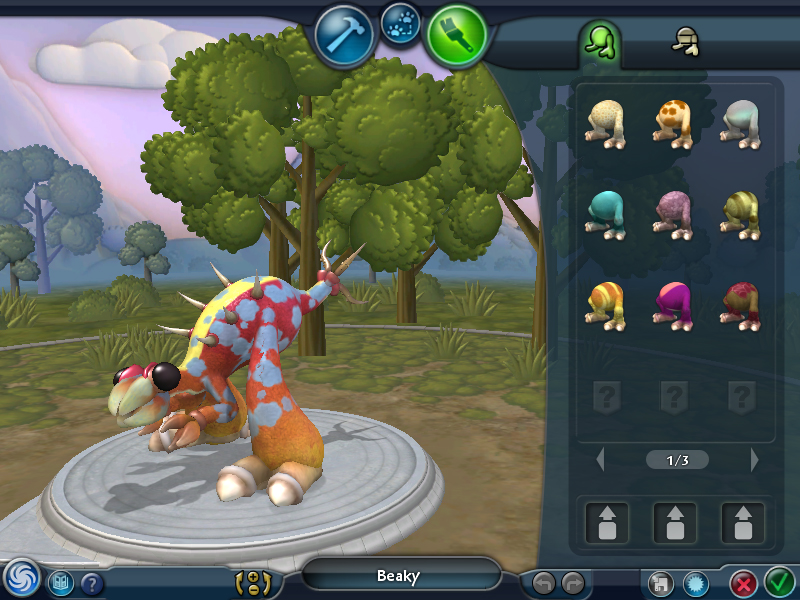
- SMILE (science and math in an immersive learning environment) - http://www2.tech.purdue.edu/cgt/I3/SMILE/ . a virtual world learning environment being developed specifically for students who are deaf or hard of hearing
- JumpStart Virtual World - http://www.jumpstart.com/ . a mix of a virtual world with typical interactive learning activities in a game to earn awards (see illustration)
- JumpStart Interactive Map - http://www.jumpstart.com/aboutus/interactivemap.aspx
- Dimension M - http://www.tabuladigita.com/ . virtual world targeting pre algebra and algebra
- Quest Atlantis - http://atlantis.crlt.indiana.edu/ . virtual world targeting social responsibility, compassionate wisdom, creative expression, and more
- Quest Atlantis Screen shots - http://www.youtube.com/watch?v=SZoT3pilNPI
- Quest Atlantis Kids Report - http://www.youtube.com/watch?v=MYQpoHq82B4
- Auditorium - http://www.playauditorium.com/ . simple and elegant problem solving game with incredible visuals and sound
- PeaceMaker - http://www.peacemakergame.com/ . accept the challenge to bring peace to the Middle East in this game
- Spore - http://www.spore.com/ . amazing science game where the student controls the course of evolution from the cell stage through space exploration. go to the web site and download the free creature creator (see illustration)
- Spore Screen Movies - http://www.spore.com/what/screensmovies
Game Development Software (create your own)
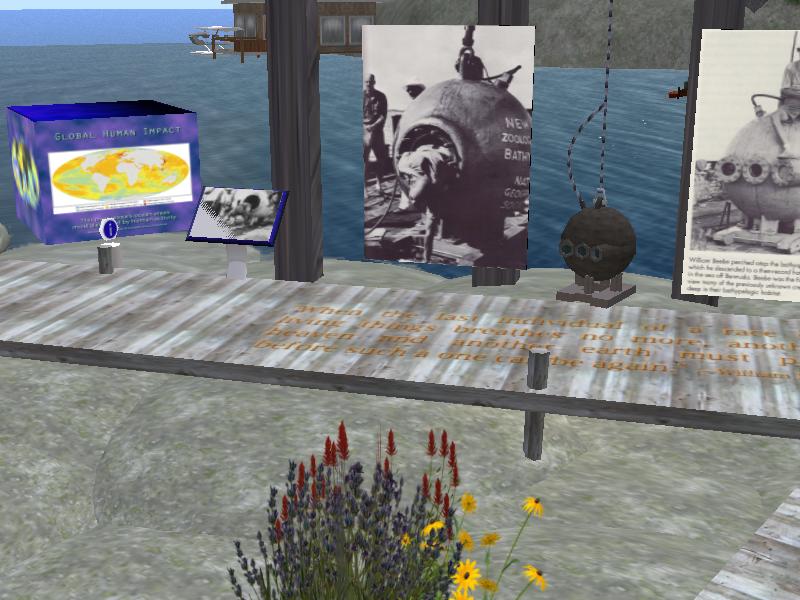
Virtual 3D Worlds – Virtual worlds often have a game element but many of the new worlds are social and creative in nature, making them great environments for connecting students in a classroom or around the globe to work on 21st century skills (http://www.21stcenturyskills.org/route21/). There are hundreds of virtual worlds now. Here is a short list of some of the virtual worlds being used today by all ages.
- Top 150 Virtual Worlds for Kids - http://www.virtualworldsexpo.com/schedule/100.html
- Webkinz - http://www.webkinz.com/
- Cartoon Network FusionFall - http://www.fusionfall.com/index.html
- Cartoon Network Video Preview - http://www.fusionfall.com/video/index.html
- Edusim - http://edusim3d.com/index.php . a free virtual environment designed for interactive whiteboards
- Edusim Youtube Video - http://www.youtube.com/watch?v=etBpUcNGVlU
- Second Life / Teen Second Life - http://www.secondlife.com . one of the most popular virtual world environments, and one of the most sophisticated. both versions of Second Life can be made very secure so students will be safe online
- Google Earth - http://earth.google.com/ . what is referred to as a mirror world rather than a virtual world. Google Earth mirrors the real world
- Portal - http://store.steampowered.com/app/410/ . a simple game but extremely visual/spatial oriented
- Portal 2D Flash - http://portal.wecreatestuff.com/ . 2d online version of Portal
Accessibility - There are several areas of accessibility that some students may need to address to successfully operate in a virtual world. If the world is being run on a computer system then basic computer access will be a concern. Many worlds, such as Second Life, include keyboard shortcuts that facilitate the creation of alternative keyboard overlays (such as Intellikeys – see illustration), on-screen keyboard overlays, and macros for voice control. One of the advantages of virtual worlds like Second Life is the ability for the user to move at their own pace. In most instances, unlike action games, the speed of the response is not critical.
Virtual worlds are by nature highly visual and this can create barriers for students who are blind or visually impaired. Some of the solutions are based on real world answers. For example http://www.sl-educationblog.org/?p=274 includes information on a Second Life citizen who uses a “guide dog” in world. Braille keyboard overlays can be used to provide quick control over facial expressions, gestures, and communication. But the highly visual/spatial nature of virtual worlds will continue to include barriers. Audio and voice chat is also frequently used and creates barriers for students who are deaf.
Groups in Second Life - There are several groups in Second Life that advocate for the inclusion of people with disabilities in virtual environments. A few of them are listed below. Note that these are all Second Life URLs (SLURL) and can only be accessed if you have SL running on your computer. SLURLs are designed to jump from a web page to a particular “place” in Second Life.
- Wheelies . http://slurl.com/secondlife/Taupo/168/91/23
- GimpGirl Community . http://slurl.com/secondlife/3DE/171/25/22
- Virtual Ability . http://slurl.com/secondlife/Virtual%20Ability/129/129/23
- Autism Support in SL . http://slurl.com/secondlife/Erzulie/230/152/84
- Autistic Liberation Front . http://slurl.com/secondlife/Porcupine/29/177/107
Second Life in the Classroom & 21st Century Skills
- Pacific Rim Exchange- http://pacificrimx.wordpress.com/ . extensive materials, reports, presentations, and examples of classroom activities in Second Life
- Classroom 2.0 - http://www.classroom20.com/group/secondlife . online group and resources created by Kathy Schrock
- Suffern Middle School in Second Life - http://ramapoislands.edublogs.org/ . blog of a middle school that makes extensive use of Second Life
- Route21 - http://www.21stcenturyskills.org/route21/ . the 21st century skills roadmap